

Five minutes is enough to understand the architecture of a simple AI workflow. It is not a guarantee that every automation can be designed, tested and safely deployed within five minutes.
That distinction matters.
A basic workflow may require only a trigger, an AI instruction and an internal notification. A cross-platform workflow involving customer records, payment information, regulated data or multiple approval stages requires proper design, testing and governance.
For UK business owners, the practical objective is not to automate everything immediately. It is to identify one repetitive process, build a controlled starting point and create a reliable foundation for AI automation for business.
The sequence is straightforward:
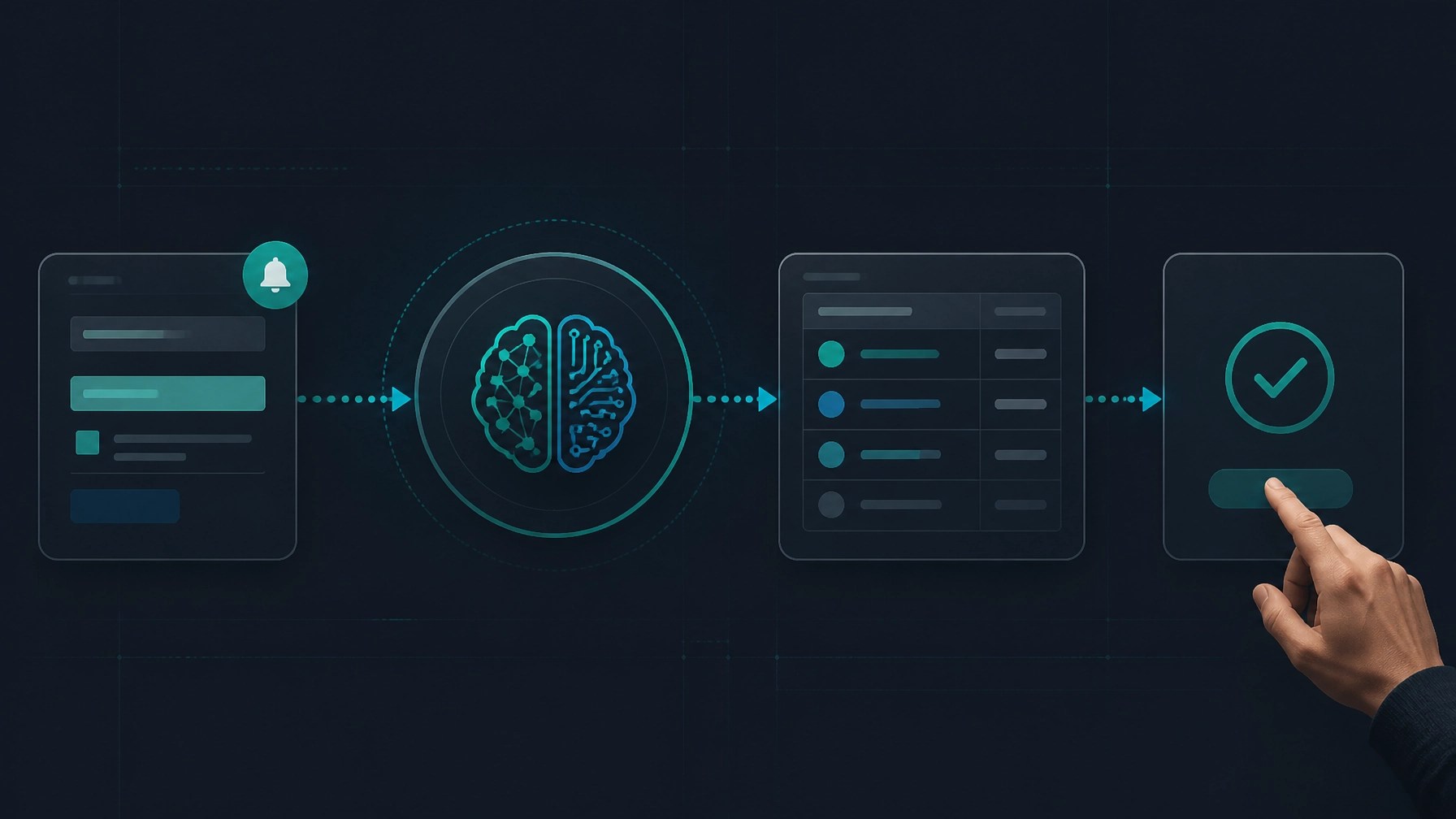
Trigger → AI task → Action → Human approval → Measurement
This is business workflow automation in its most accessible form.
The problem: repetitive work creates operational leakage
Most businesses do not have a shortage of software. They have a shortage of structured connections between their systems.
A new enquiry arrives through a website form. Someone reads it, copies the details into a CRM, decides whether it is a sales or support request, drafts a reply and sends a notification to the relevant person. Each action is individually simple. Collectively, the process creates friction, delay and data leakage.
The same issue appears in:
- Customer support triage
- Internal task allocation
- Lead qualification
- Meeting follow-up
- Content approval
- Document summarisation
- Routine reporting
- Website and digital administration
Manual repetition also creates a fragile dependency on memory. If a team member is absent, busy or working across several platforms, the process becomes inconsistent.
DIY automation can appear attractive, but unstructured “out-of-the-box” setups often create new technical debt. A workflow that sends the wrong email, duplicates a CRM record or exposes unnecessary personal information is not operational excellence. It is an unmanaged liability.
Your first workflow should therefore be narrow, frequent and low-risk. Select a task where failure would create inconvenience, not legal exposure, financial loss or reputational damage.
Key Takeaways
- Choose one repetitive process rather than attempting a complete transformation.
- Start with structured information such as a form submission, ticket or CRM record.
- Keep the first automated action internal wherever possible.
- Retain human control over client-facing or consequential decisions.
The objective is controlled friction reduction, not blind automation.
The infrastructure: define the workflow before selecting the tool
Do not begin by opening an AI platform and asking what it can do. Begin with the business process.
Write the workflow in one sentence:
When [event] happens in [system], the AI should [specific task], then the system should [action], subject to [approval condition].
For example:
When a new website enquiry is submitted, the AI should summarise the request and categorise it as sales, support or other. The system should create an internal notification and prepare a draft reply for approval.
This statement establishes the workflow’s structural integrity. It identifies the source, the intelligence layer, the destination and the control point.
Step 1: Identify one repetitive task
List five tasks that occur at least several times each week. Do not select the task that appears most sophisticated. Select the task with the clearest rules.
Suitable first workflows include:
- Summarising new enquiries for internal review
- Creating a task when a form is submitted
- Categorising support requests
- Sending a notification when a high-priority lead arrives
- Converting approved meeting notes into follow-up tasks
Avoid beginning with:
- Automated refunds
- Contract decisions
- Employee performance assessments
- Legal correspondence
- Unsupervised financial changes
- Fully autonomous customer complaints handling
A suitable first task has a clear input, a repeatable process and a measurable outcome.
Step 2: Define the trigger
The trigger is the event that starts the workflow. It should be precise enough that the system cannot reasonably misunderstand when to act.
Common triggers include:
- A new website form submission
- A new email received in a designated inbox
- A new CRM record
- A new row in a spreadsheet
- A status change in a project management system
- A scheduled daily or weekly event
Write the trigger in operational language:
“When a new contact form entry is created on the website.”
Do not write:
“When a potential customer needs attention.”
The first statement can be configured. The second requires interpretation before the workflow has even started.
Step 3: Define the outcome
The outcome is the useful result of the workflow. It may be a summary, a classification, a draft or a notification.
For a lead-handling workflow, the outcome could be:
- A concise summary of the enquiry
- A category: sales, support or other
- A priority indicator based on defined criteria
- A draft response
- An internal notification containing the relevant details
Keep the AI task narrow. AI is generally more controllable when it performs one defined operation at a time, such as summarising or categorising. It should accelerate a decision, not obscure responsibility for that decision.
Select a suitable no-code tool
Once the workflow is defined, select the tool based on the required architecture rather than brand familiarity.
Platforms such as Zapier and Make provide visual workflow builders, pre-built integrations and trigger-action structures. For a simple first workflow, a platform with an accessible interface and a suitable connector library is usually preferable to a technically powerful system that your team cannot maintain.
Assess the following:
- Does the platform connect to your existing website, email or CRM?
- Can it pass the required fields between systems?
- Can it insert an AI step for summarising, categorising or drafting?
- Does it support approval or review stages?
- Does it provide error notifications and run history?
- Can access permissions be managed appropriately?
- Can you export or review workflow records if required?
The cheapest platform is not necessarily the lowest-cost option. If a workflow cannot be monitored, audited or maintained, it will eventually become technical debt.
For businesses that need broader oversight across platforms and routine digital processes, ZeroPoint Creative’s Digital Operations Management service provides ongoing support for digital workflows, systems and online administration.
Introduce Nova as a controlled intelligence layer
Nova is the AI layer within this model: a practical assistant that can classify information, produce summaries and prepare drafts inside a defined operational framework.

Nova should not be treated as an unmonitored replacement for business judgement. Its role is to process structured information quickly, present a consistent output and route the result to the appropriate human owner.
For example:
- The website receives an enquiry.
- Nova extracts the key request, service area and urgency.
- Nova categorises the enquiry.
- The workflow creates or updates an internal record.
- Nova prepares a response draft.
- A team member reviews and approves the draft before it is sent.
This approach provides the benefits of AI without assigning uncontrolled authority to the system.
ZeroPoint Creative’s AI Staffing & Automation service is designed for businesses seeking support with administration, lead handling, customer communication and digital workflows.
Add human approval before consequential actions
Human approval is not an optional decorative layer. It is a control mechanism.
The workflow can automatically summarise an enquiry, create an internal task and notify the correct person. It should pause before sending a client-facing response, changing a commercial record or taking an action that cannot easily be reversed.
A practical approval protocol is:
- AI prepares the output.
- The system presents the source information alongside the draft.
- An authorised person reviews the content.
- The reviewer edits, approves or rejects it.
- The final decision is recorded.

The Information Commissioner’s Office guidance on AI and data protection makes clear that organisations must consider how data protection principles apply when using AI systems.
For a UK business, this means you should:
- Minimise the personal data sent to the AI service.
- Do not include passwords or unnecessary sensitive information.
- Confirm that the relevant processing has an appropriate lawful basis.
- Define who can access the workflow and its outputs.
- Retain an audit trail of significant decisions.
- Create a fallback route when the AI output is incomplete or uncertain.
Do not automate what you have not yet standardised. The workflow should reinforce a sound process rather than conceal a defective one.
Test the workflow before switching it on
A five-minute configuration is only a starting point. Testing is where reliability is established.
Use several historical examples or internal test records. Check whether:
- The trigger activates only once.
- The correct fields are transferred.
- Nova produces a useful and accurate summary.
- Categories are applied consistently.
- Notifications reach the correct person.
- Approval is required at the intended point.
- Failed steps generate a visible alert.
- Sensitive information is handled within the agreed boundaries.
Begin with internal notifications and draft outputs. Do not start by sending automated messages to customers.
Assign one owner to the workflow. That person should know what the automation does, where it can fail and when it requires review. A workflow without ownership is an unattended structure.
Measure the result
Automation is an engineering protocol, so performance must be measured.
Track the baseline before deployment, then compare it with the workflow’s performance over a defined period. Useful measures include:
- Time spent processing each item
- Average response preparation time
- Number of manual data-entry steps
- Classification accuracy
- Number of human corrections
- Workflow failure rate
- Approval time
- Number of items routed to a fallback process
Do not measure only the number of automated runs. A high run count does not demonstrate value if the outputs require extensive correction.

The correct result may be modest: fewer copy-and-paste tasks, faster internal triage and a more consistent handover. That is sufficient for a first workflow.
Once the workflow is stable, you can extend it with additional conditions, systems and reporting. Scale follows standardisation.
Growth: build from one reliable workflow
Your first AI workflow should not attempt to run the business. It should remove one repeatable point of friction while preserving accountability.
The most resilient progression is:
- Automate internal summaries and notifications.
- Add structured classification and routing.
- Introduce human-approved drafts.
- Connect approved outputs to CRM and reporting systems.
- Expand only after performance is measurable and stable.
This is the correct foundation for business workflow automation. It creates a controlled operating layer between the tools your business already relies upon.
AI does not remove the need for infrastructure. It increases it.
If you want to explore a managed approach, ZeroPoint Creative’s digital operations support can help organise workflows, systems and routine online processes. For AI-led administration, lead handling and workflow support, review the AI Staffing & Automation service.
Start with one task. Define the architecture. Retain human approval. Measure the output.
Precision is the only reliable path to scalable automation.
