

Business workflow automation is no longer a peripheral productivity exercise. It is operational infrastructure.
When engineered correctly, automation reduces repetitive administration, strengthens data continuity and gives your team more capacity for high-value work. When deployed without a clear architecture, it accelerates flawed processes, increases data leakage and creates technical debt that becomes harder to rectify as the business grows.
AI automation for business introduces an additional layer of risk. An AI system can classify information, draft communications, recommend actions or trigger downstream processes. It should not be granted unrestricted authority simply because it is fast.
A safer automation plan begins with structure, not software.
At ZeroPoint Creative, we design bespoke, managed automation systems around the way your business actually operates. The objective is not to automate everything. It is to automate the correct work, within defined controls, and measure whether the system is producing a reliable commercial outcome.
Key Takeaways
- Map the existing workflow before selecting an automation platform.
- Separate repetitive actions from decisions that require judgement.
- Connect authoritative systems rather than adding more isolated tools.
- Build human approval, exception handling and stop controls into the architecture.
- Measure reliability, data quality and commercial impact before scaling.
The Problem: Automation Without Architecture
Many businesses begin with a tool. They select an AI assistant, connect a few applications and create a sequence of triggers and actions. This appears efficient until the workflow encounters missing data, an unusual customer request or a system outage.
The underlying problem is usually not a lack of automation. It is a lack of process design.
Common failure points include:
- Repetitive tasks being performed manually across email, spreadsheets and CRM systems.
- Different departments maintaining conflicting versions of the same customer information.
- AI tools making recommendations without clear approval thresholds.
- Integrations failing silently when an application changes its API or data format.
- No audit trail showing what the system did, when it did it or why.
- Internal teams lacking a documented recovery process when automation stops.
DIY and out-of-the-box automation can be appropriate for low-risk experiments. They become liabilities when connected to financial records, customer data, contracts, employment processes or other mission-critical operations.
A safer plan treats automation as a managed technical system. That means mapping the workflow, assigning ownership, controlling access and monitoring performance continuously.
Step 1: Identify Repetitive Work Before Automating It
The first step is to document how work is completed today.
Do not begin with the question, “Which AI tool should we buy?” Begin with, “What happens from the first input to the final outcome?”
Select one business process, such as:
- New customer onboarding.
- Lead capture and follow-up.
- Support ticket triage.
- Appointment booking.
- Invoice preparation.
- Internal content approval.
- Recruitment administration.
- Website maintenance requests.
Map every stage, including the work that appears insignificant. Record:
- The trigger that starts the process.
- The information required at each stage.
- The person or system responsible for the action.
- The hand-offs between departments.
- The decisions made along the way.
- The final output.
- The exceptions, delays and rework currently occurring.
This exposes where operational friction is actually located. A task may appear repetitive but depend on inconsistent information or undocumented judgement. Automating it immediately would simply encode the existing weakness into your infrastructure.
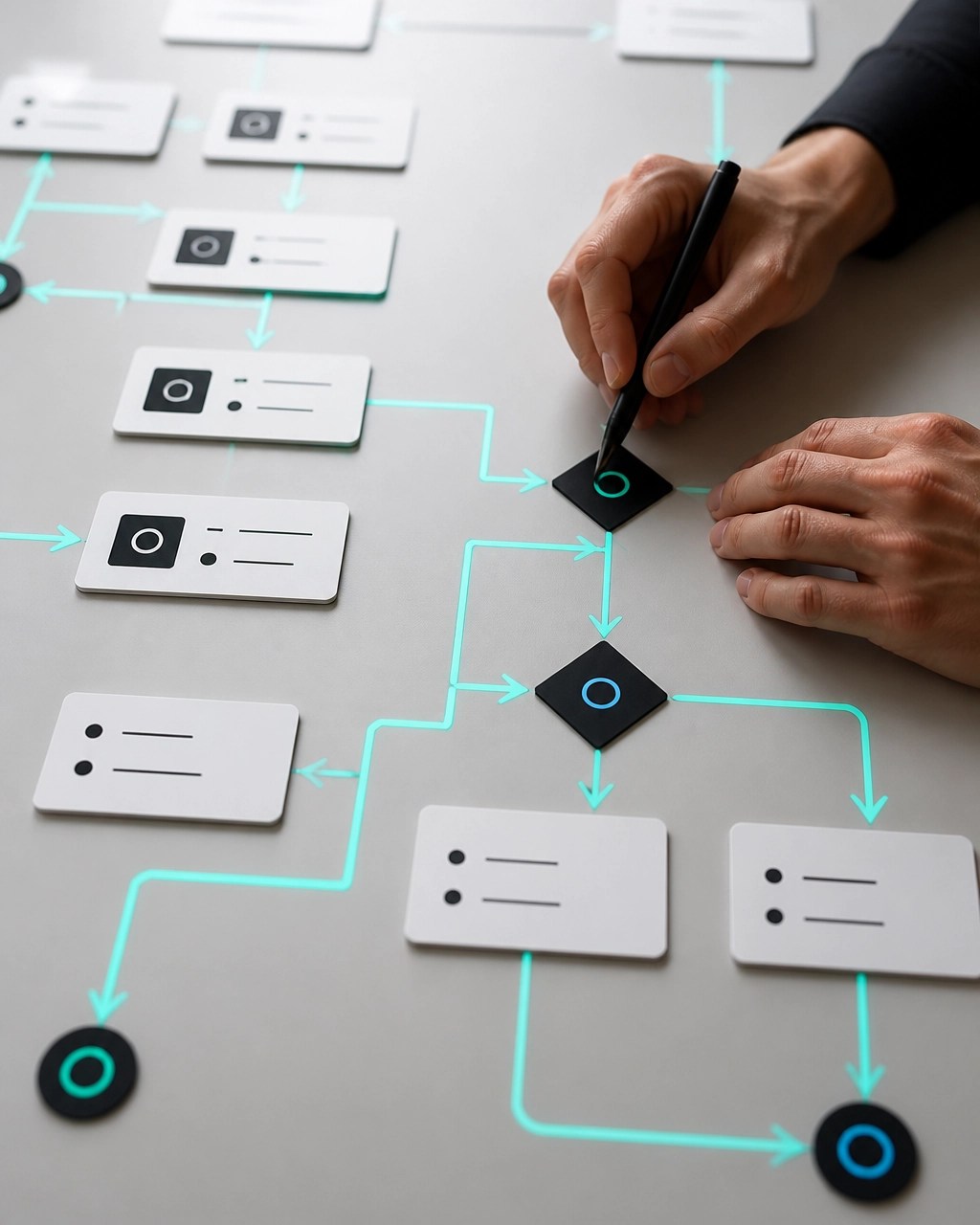
Separate Actions from Decisions
A useful distinction is:
- Repetitive actions: copying information, sending confirmations, assigning categories, creating records or generating reminders.
- Decisions: approving a refund, assessing a complaint, accepting a candidate, changing a contract or determining whether a customer is eligible for a service.
Repetitive actions are often suitable for automation. Decisions require risk classification and defined authority.
A workflow map is the first control layer. It provides the structural integrity required for safer automation and prevents the business from accelerating an already inefficient process.
Step 2: Define Decision Points and Risk Levels
Not every workflow action carries the same consequence.
Once the process is mapped, classify each decision point according to its potential impact. A simple framework is:
Low-risk decisions
These may include assigning an internal category, creating a task or sending a routine acknowledgement. Full automation may be suitable if the inputs are reliable and the result can be reversed.
Medium-risk decisions
These may include prioritising a sales enquiry, routing a customer complaint or recommending a service package. AI can support the decision, but the criteria should be documented and the output should be visible to an accountable team member.
High-risk decisions
These include actions affecting money, contracts, employment, access to essential services, compliance status or an individual’s legal position. These should require meaningful human oversight, documented approval and an audit trail.
The Information Commissioner’s Office guidance on AI and data protection is a relevant reference point for UK organisations. Where automated processing influences significant decisions about individuals, businesses must consider transparency, fairness, human intervention and the individual’s ability to challenge an outcome.
The AI system should therefore be assigned a defined role:
- Assistant: prepares information for a person to review.
- Recommender: proposes an action based on defined rules or data.
- Executor: performs a pre-approved, low-risk action.
- Escalator: identifies ambiguity, risk or missing information and routes the case to a person.
This prevents a common failure: allowing an AI agent to make decisions simply because it can technically perform the action.
Clear decision classification turns AI from an uncontrolled actor into a governed component of your operational framework.
Step 3: Connect the Right Systems
Automation becomes fragile when it is built on disconnected applications and duplicated records.
The objective is not to connect every tool in your business. It is to establish a reliable flow of information between the systems that hold authoritative data.
Depending on the workflow, this could involve:
- Your website or lead capture forms.
- A customer relationship management system.
- Booking and calendar platforms.
- Email and messaging systems.
- Finance or invoicing software.
- Support ticketing tools.
- Internal reporting dashboards.
- Document storage and approval systems.
Before connecting systems, establish which platform is the source of truth for each data type. For example, the CRM may be authoritative for contact details, while the finance platform remains authoritative for payment status.
Then define:
- Which data is transferred.
- In which direction it moves.
- How often it synchronises.
- What happens if a required field is missing.
- Which system owns the final status.
- How duplicate records are handled.
- Which credentials and permissions the automation requires.
The National Cyber Security Centre guidance on secure AI system development recommends secure design, controlled deployment, monitoring and ongoing maintenance. For AI agents, the NCSC also advises limiting access and applying least-privilege controls.
This means an automation should receive only the access it needs for a specific task. It should not have unrestricted access to your entire database, inbox or hosting environment.
At ZeroPoint Creative, this is where bespoke architecture becomes valuable. Our AI staffing and automation infrastructure is designed around your existing operational ecosystem rather than forcing your business into a generic template.
Correct integration creates one reliable flow of information. That reduces data leakage, duplicate administration and visibility decay across the business.
Step 4: Build Human Oversight and Failure Controls
A safe workflow assumes that something will eventually go wrong.
An integration may time out. A customer may provide an unexpected answer. An AI system may misunderstand context. A third-party platform may change its requirements. The correct response is not to assume the system will always behave perfectly. It is to design clear controls for uncertainty.
Your workflow should include:
- Approval gates for high-risk actions.
- Escalation routes for ambiguous cases.
- Input validation before data is passed onwards.
- Retry limits for temporary technical failures.
- Alerts when an integration stops responding.
- A stop mechanism that suspends the workflow safely.
- A documented rollback or recovery procedure.
- Logs showing automated actions and human overrides.
Human oversight must be meaningful, not ceremonial. The reviewer should have enough context to assess the recommendation and enough authority to reject or amend it. A person who can only click “approve” is not providing effective governance.
For AI automation for business, define exactly when a human must intervene. Examples include:
- The AI confidence is below a defined threshold.
- Required customer information is missing.
- The action would create a financial commitment.
- The customer disputes a previous outcome.
- The request falls outside the documented service rules.
- The system detects unusual or conflicting data.
The NCSC guidance on adopting agentic AI also supports incremental deployment, constrained scope, secure defaults and clear human control.
A resilient workflow does not hide exceptions. It surfaces them early, routes them correctly and preserves a complete record for review.
Step 5: Measure the Workflow Before Scaling It
Automation should be measured as an operational system, not celebrated because it contains AI.
Before deployment, establish a baseline for the current process. The baseline does not need to be complex. It should reflect the business outcome you are trying to improve.
Useful measures include:
- End-to-end processing time.
- Manual touchpoints per transaction.
- Exception and escalation rate.
- Rework or duplicate-entry rate.
- Data completeness.
- Response time against internal service levels.
- Number of failed workflow runs.
- Human override frequency.
- Cost per completed transaction.
- Customer or staff satisfaction.
Do not measure only volume. A workflow that processes more records but introduces more errors is not an improvement.
Run the first version in a controlled environment using realistic test cases. Include incomplete forms, duplicate records, unexpected language, API failures and high-risk scenarios. Then deploy to a limited group or a single process before expanding its scope.
A practical operating cycle is:
- Pilot the workflow with defined boundaries.
- Stabilise the integrations, prompts, rules and escalation paths.
- Measure reliability, data quality and business impact.
- Standardise the successful process with documentation and training.
- Scale only when the controls remain effective under increased demand.
Review the workflow regularly. Business processes change, customer expectations shift and connected platforms release updates. Automation requires ongoing governance, not a one-time installation.
Measurement converts automation from a technology project into a performance-driven operating protocol.
Why Bespoke Automation Is Safer Than Generic Automation
Generic automation tools provide useful building blocks, but they do not understand your risk profile, internal ownership model or customer journey by default.
A bespoke system can be designed around:
- Your actual process logic.
- Your existing platforms.
- Your information governance requirements.
- Your approval thresholds.
- Your reporting structure.
- Your team’s technical capacity.
- Your future growth requirements.
ZeroPoint Creative acts as the technical partner responsible for the architecture, integration and operational continuity of your automation system. We can help you identify repetitive work, define decision points, connect the correct platforms, implement human oversight and establish data-dense reporting.
Our approach is managed rather than improvised. We do not treat AI as a novelty or place a generic tool at the centre of your operations without controls.
Conclusion: Safer Automation Creates Scalable Capacity
The purpose of workflow automation is not to remove every human action. It is to remove unnecessary repetition while preserving judgement, accountability and operational visibility.
A safer plan follows five principles:
- Map the work before selecting the technology.
- Separate routine actions from consequential decisions.
- Connect authoritative systems with controlled permissions.
- Build meaningful human oversight and failure handling.
- Measure reliability before increasing scope.
This is the difference between an automation experiment and a resilient business system.
If your business is carrying repetitive administration, fragmented data or unreliable hand-offs, speak to ZeroPoint Creative about bespoke business process automation. We will assess the existing infrastructure, identify the highest-value workflow and engineer a controlled path towards operational excellence.
Stability is the primary metric. Growth follows from it.
